Add a User Access Account
Add the user's own cloud access account before starting a cloud model deployment.
Target Outcome
The end user has a validated cloud account that quick deployment can use within the authorized scope.
Applicable Roles
- End User
Before You Start
- Confirm that the Platform Operator has authorized the cloud platform and regions for your tenant.
- Prepare a dedicated least-privilege cloud credential.
Procedure
Add a Cloud Account
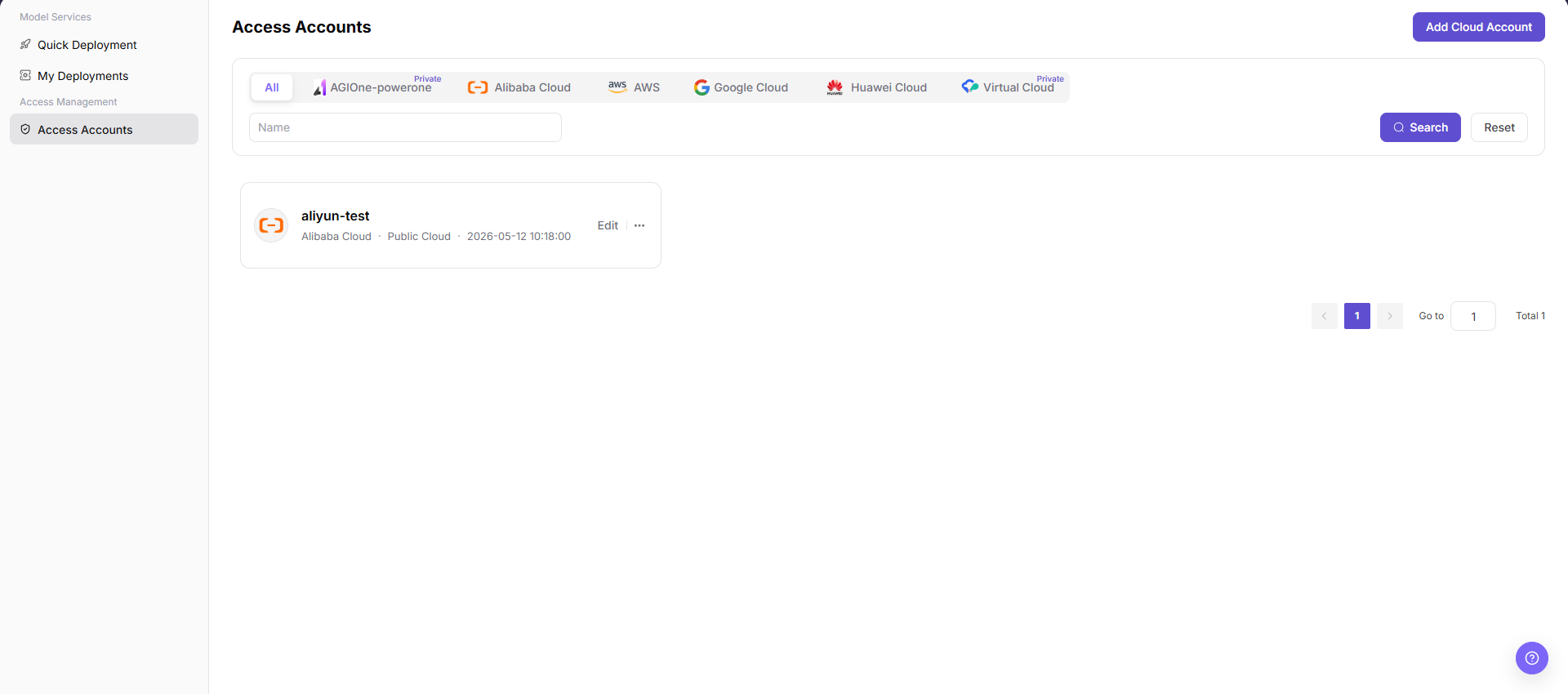
- From the platform home page, select Access Accounts in the left navigation to open account management.
- Select Add Cloud Account in the upper-right corner to open the Add Account dialog.
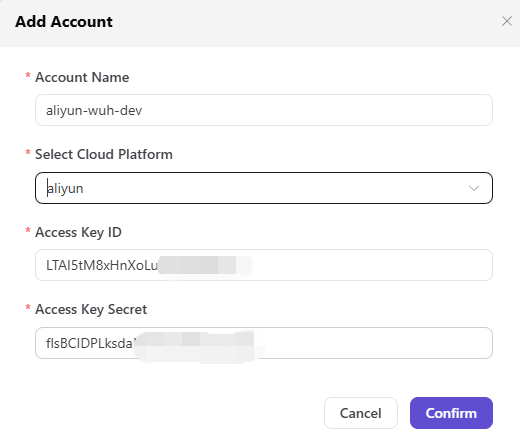
- Configure the account:
- Enter an Account Name, such as
aliyun-wh-dev. - Select a cloud platform that the current version supports and the tenant is authorized to use, such as Alibaba Cloud or AWS. Huawei Cloud access is not currently supported.
- Enter the cloud platform Access Key ID, such as
LTAI5tM8xHnXoLuBW.... - Enter the cloud platform Access Key Secret, such as
flsBCIDPLksdaNh05J....
- Enter an Account Name, such as
- Review the information and select Confirm to add the account, or Cancel to discard the changes.
Parameter Reference
| Field | Type | Example | Description |
|---|---|---|---|
| Account Name | Text | aliyun-wh-dev | Required; a user-defined account identifier |
| Cloud Platform | Select | Alibaba Cloud | Required; the supported platform to which the account belongs |
| Access Key ID | Text | LTAI5tM8xHnXoLuBW... | Required; the cloud access-key ID |
| Access Key Secret | Password | flsBCIDPLksdaNh05J... | Required; the cloud access-key secret |
Completion Checklist
Purpose: These are the exit criteria for the current feature task. Use them to decide whether the result is observable and reviewable and whether you can continue to the next step in the scenario. They do not repeat the procedure; if any item fails, follow the troubleshooting section below.
| Check | Pass Criteria |
|---|---|
| 1 | Account validation succeeds. |
| 2 | The account is visible only to the intended user or tenant scope. |
| 3 | Quick deployment can use the account in an authorized region. |
Troubleshooting
| Symptom | Check First |
|---|---|
| Account validation fails | Credential validity, cloud permissions, network access, and platform selection |
| Quick deployment cannot select the account | Tenant authorization, region scope, and account validation state |
User Manual
Review complete fields, validation rules, and common issues for Access Accounts