Runtime Images
This task registers a cloud image used by inference frameworks. Image availability directly affects whether downstream services can start.
Target Outcome
The target cloud environment can pull the image, and inference-framework configuration can select it.
Applicable Roles
- Platform Operator
Before You Start
- Confirm the full repository address, controlled version tag, and supported framework types.
- Confirm that the target cloud environment has network access and pull permission for the image repository.
Procedure
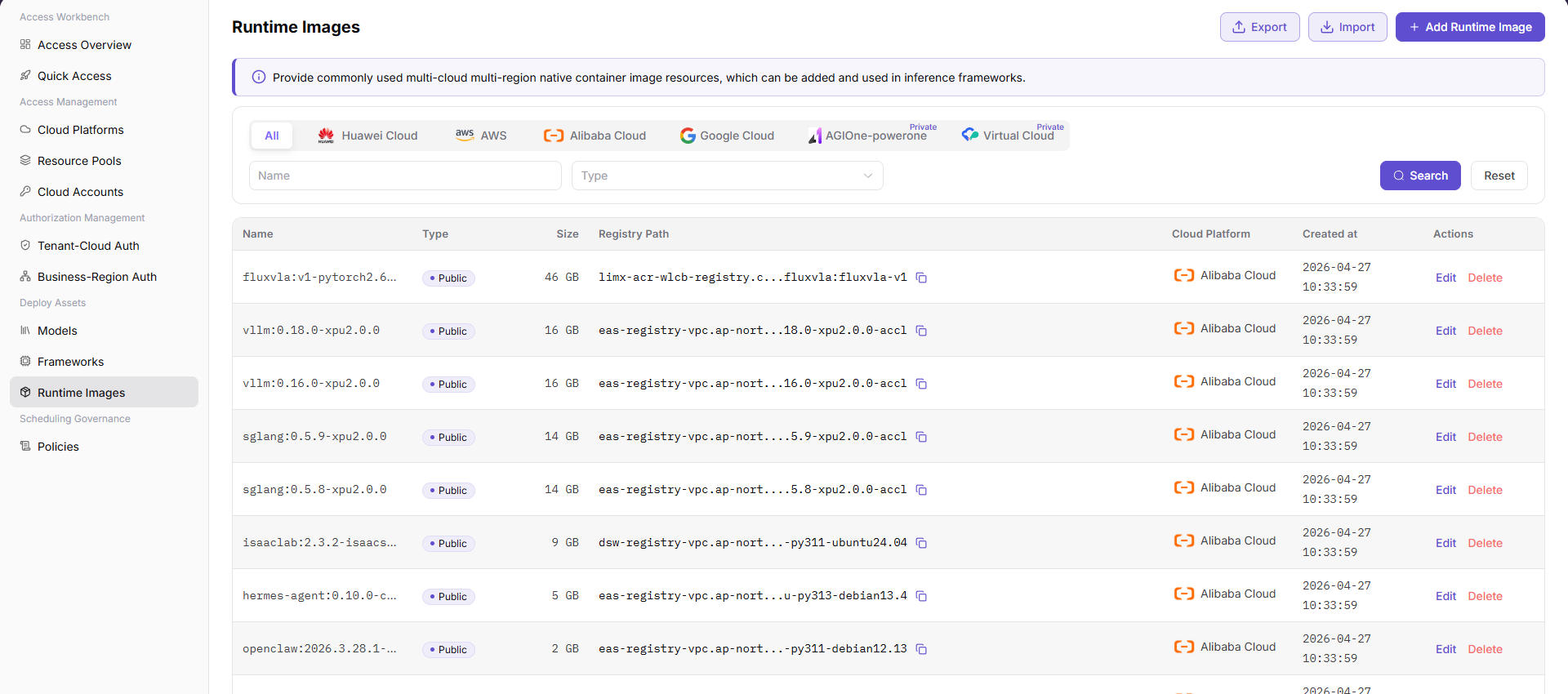
Add an Image
- Go to Deploy Assets > Runtime Images.
- Select Add Image.
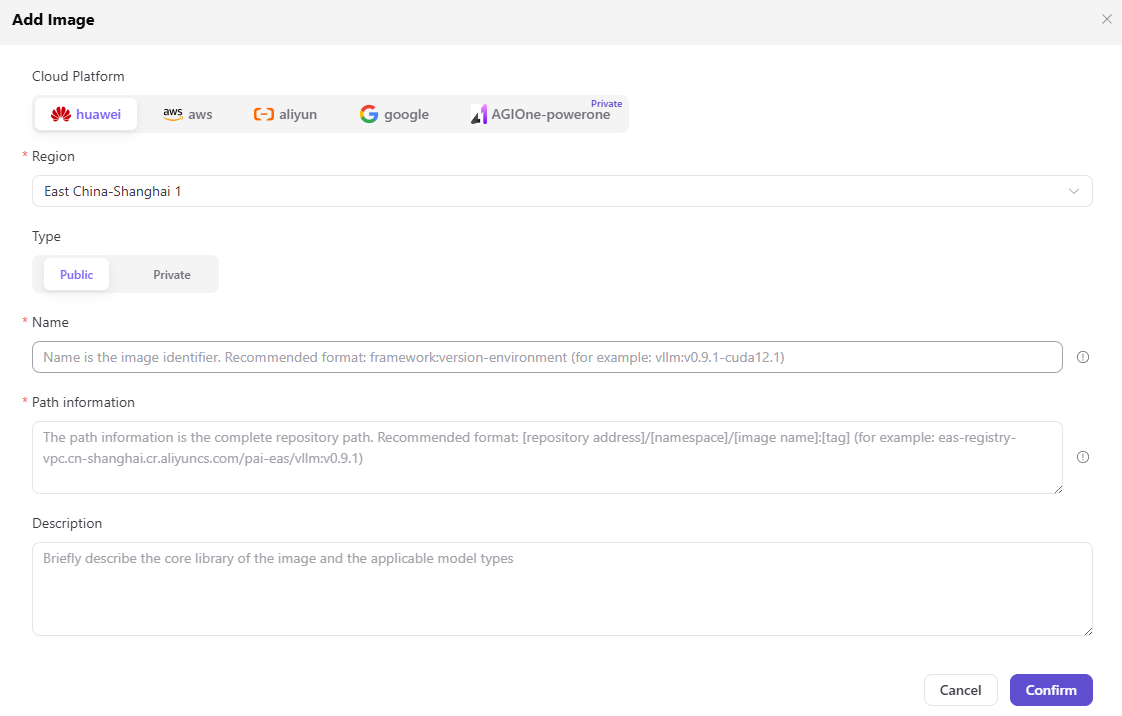
- Complete the form:
- Image Name: maintain Simplified Chinese and English values separately.
- Image Repository Address: enter the complete repository path, such as
registry.example.com/ai/vllm. - Image Tag: enter a controlled version tag, such as
0.9.1-modelgallery. - Framework Type: select at least one compatible type, such as
vllm,tgi,sglang,ollama,asr,tts,sdk-stable-diffusion, orcomfyui. - Built In: select whether the image is provided as a platform built-in image.
- Description: maintain optional localized usage descriptions.
- Select Save. Select Cancel to discard the form.
Parameters
| Field | Type | Example | Description |
|---|---|---|---|
| Image Name | Text | vllm in both language tabs | Required; maintain each language independently |
| Image Repository Address | Text | registry.example.com/ai/vllm | Required; complete image-repository path |
| Image Tag | Text | 0.9.1-modelgallery | Required; controlled image-version tag |
| Framework Type | Multi-select | vllm, tgi, sglang | Required; select at least one compatible type |
| Built In | Radio | Yes / No | Required; identifies whether the platform provides the image |
| Description | Text | vllm 0.9.1 modelgallery | Optional localized description |
Completion Checklist
Purpose: These are the exit criteria for this task. If any check fails, follow the troubleshooting section before continuing.
| Check | Pass Criteria |
|---|---|
| 1 | Repository address and tag uniquely identify a controlled image. |
| 2 | The target cloud environment can pull the image. |
| 3 | Inference-framework configuration can select the image. |
Troubleshooting
| Symptom | Check First |
|---|---|
| Image pull fails | Repository address, tag, pull permission, network, and architecture |
| Image pulls but the service fails to start | Image content, framework compatibility, startup command, and port |
User Manual
Review complete fields, validation rules, and troubleshooting for Runtime Images