Provider Revenue and Settlement Reconciliation
Use this task to explain provider revenue sources and confirm a monthly settlement result.
Applicable Roles
- Model Providers, provider finance viewers, and revenue operators
Before You Start
- Identify the target billing cycle and the customers or models to reconcile.
- Confirm permission to view Provider revenue and settlement data.
- Confirm the destination account, operator, and reviewer before transferring a balance.
Procedure
1. Review Revenue Overview
Open Revenue Overview and confirm the revenue-account balance, current-month estimate, next-settlement notice, and billing-cycle trend.
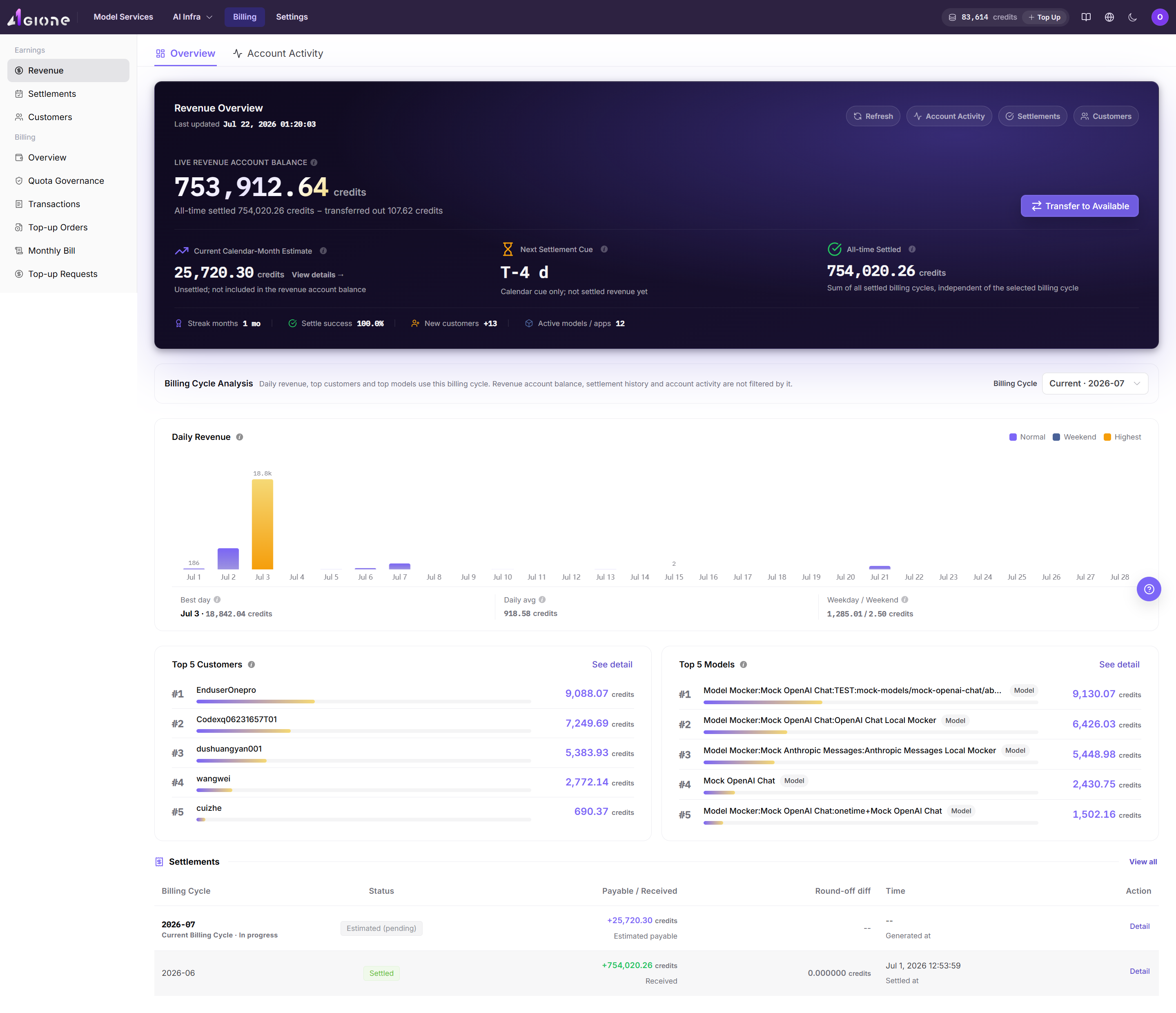
2. Explain Revenue Sources
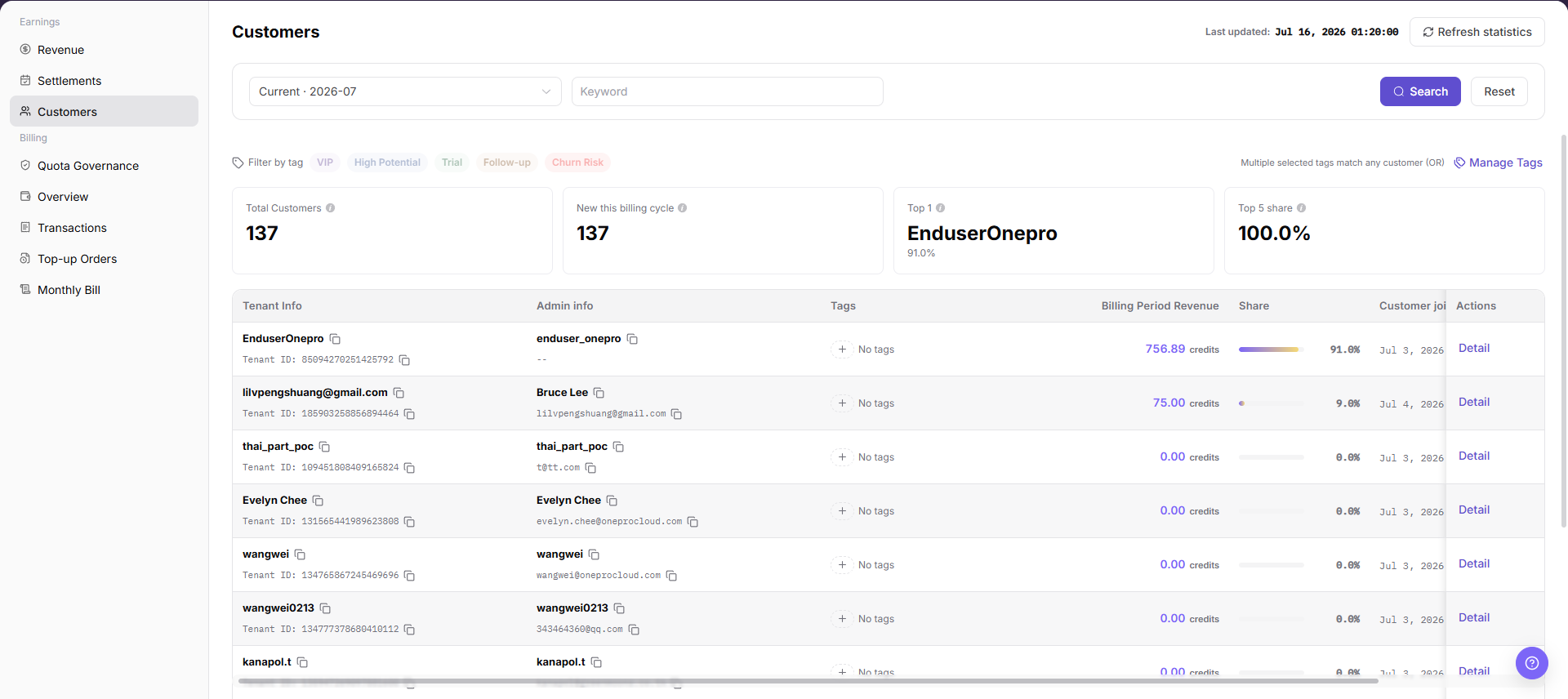
Select the target billing cycle and review the top customers and top models. Then open Customers, filter by customer or tag, and open details to reconcile the revenue contribution.
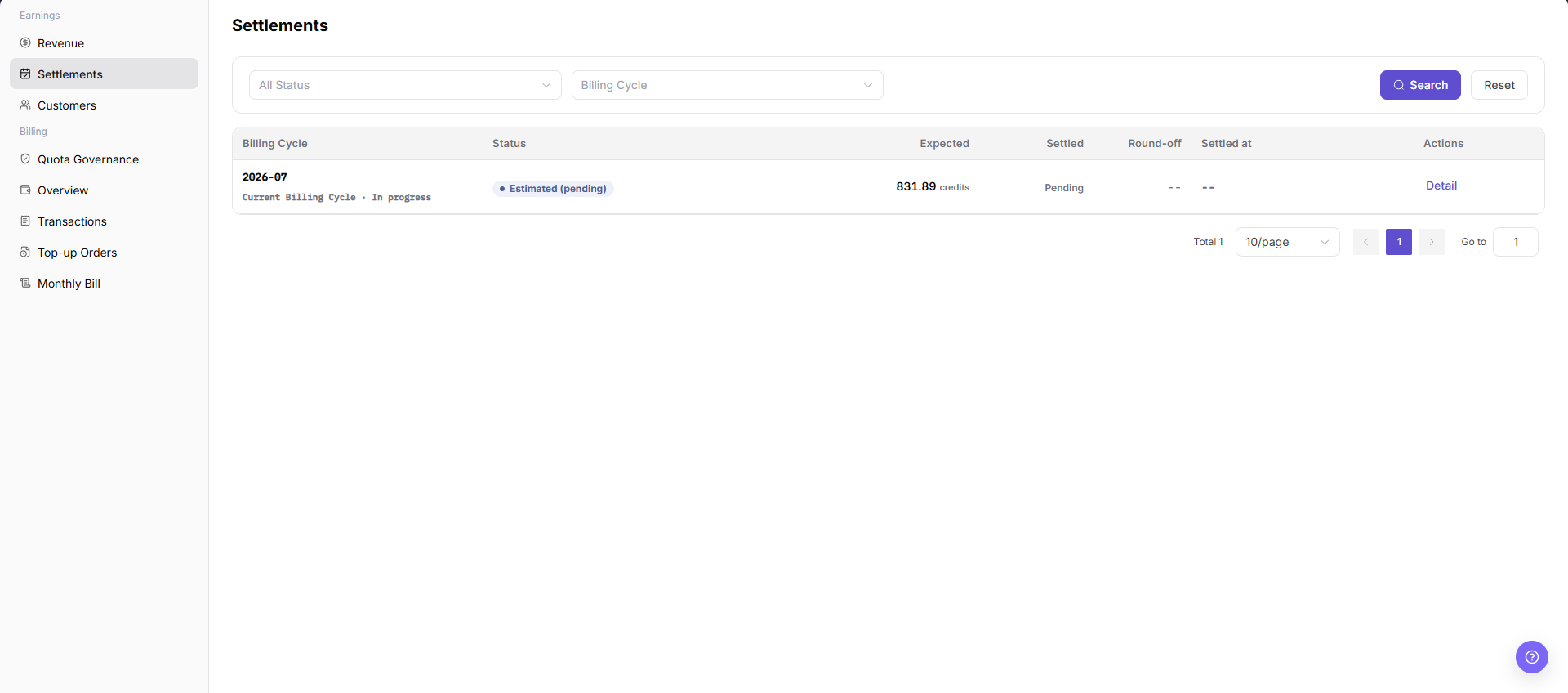
3. Reconcile Monthly Settlements
Open Monthly Settlements, search by status and billing cycle, and compare expected settlement, actual receipt, rounding adjustment, receipt time, and processing status.
4. Transfer the Balance
Use the transfer action only when the billing cycle, amount, destination account, and settlement status all match expectations. If any value differs, cancel the operation and return to Revenue Overview, Customers, and Monthly Settlements for further reconciliation.
Completion Checklist
Purpose: These checks confirm that the current revenue task produced a reviewable source-to-settlement result. Resolve any failed check before transferring a balance.
| Check | Pass Criteria |
|---|---|
| Revenue totals | Balance, estimated revenue, and billing-cycle trend are confirmed. |
| Revenue sources | Major customer and model contributions can be explained. |
| Settlement status | Expected settlement, actual receipt, and status are consistent. |
| Transfer conditions | Amount, destination account, permission, and reviewer are confirmed. |
Troubleshooting
| Symptom | Check First |
|---|---|
| Revenue balance differs from expectation | Billing cycle, model calls, pricing rules, and synchronization time |
| Customer revenue is empty | Customer scope, tag filter, and valid calls |
| Expected settlement differs from actual receipt | Statement status, rounding adjustment, receipt time, and outbound transactions |
| Transfer action is unavailable | Settlement status, account permission, and destination account |