Model Sources
Target Outcome
Provider endpoints, regions, documentation URLs, and authentication-header templates are reusable without storing a real API key.
Applicable Roles
- Platform Operator
Before You Start
- Confirm the provider Base URL, supported regions, API-key page, and API documentation.
- Use placeholders in authentication-header templates and never enter a real credential.
Procedure
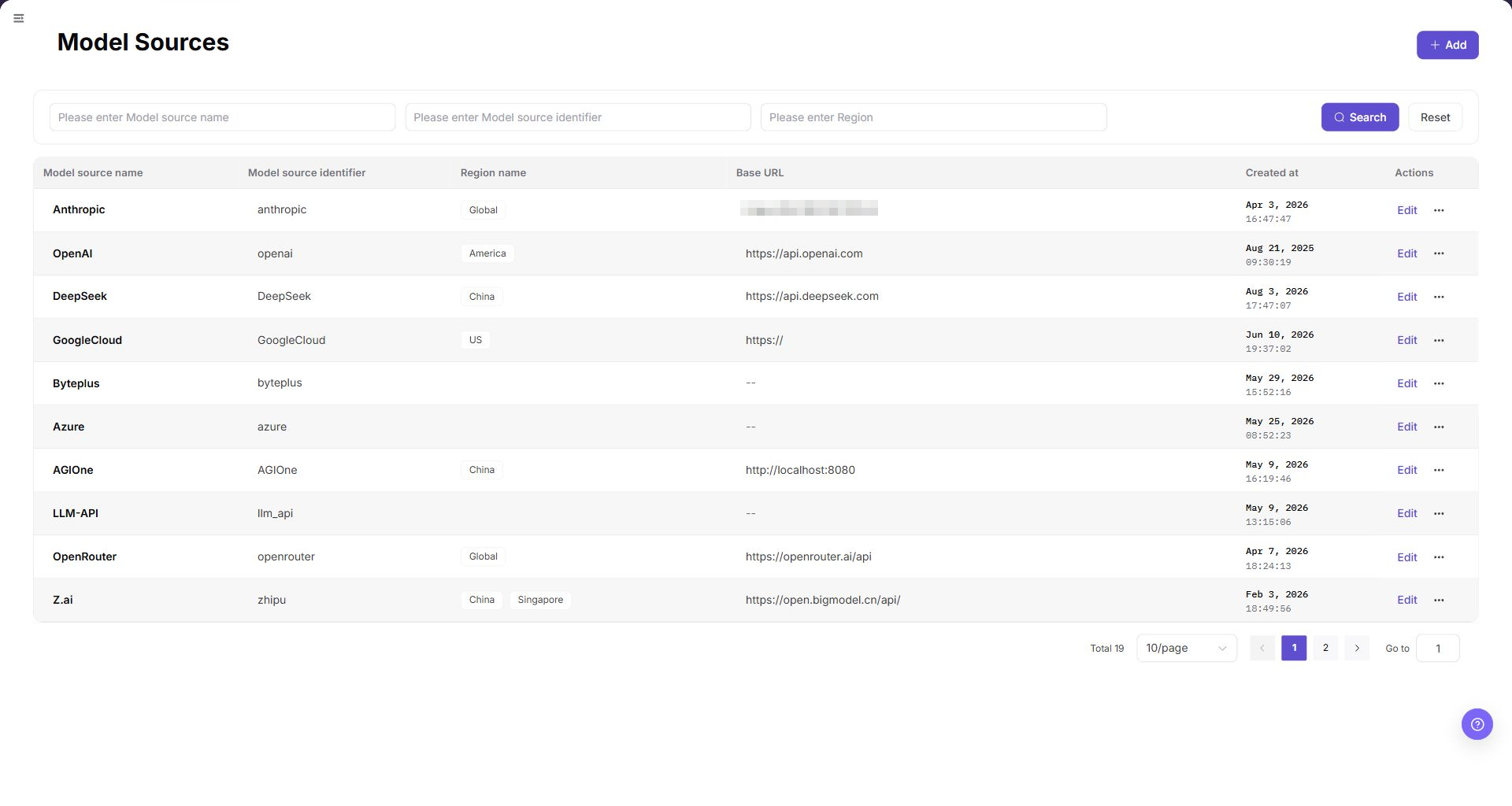
- From the platform home page, select Model Sources in the left navigation.
- Select Add in the upper-right corner.
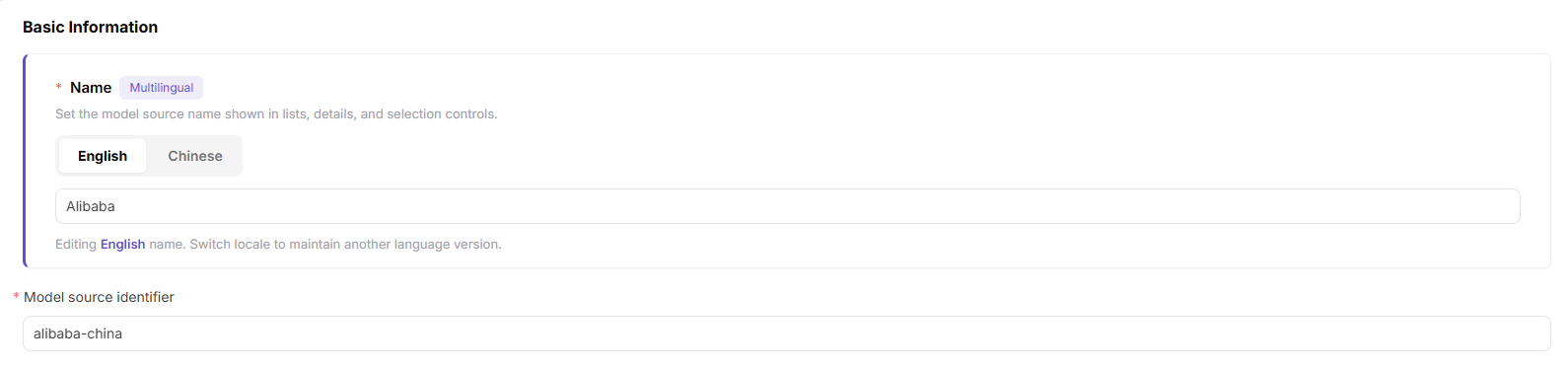
- Under Basic Information:
- Maintain the localized model-source name on the English and Chinese tabs, such as Alibaba and 阿里巴巴.
- Enter a stable Model Source Identifier, such as
alibaba-china.
- Under Region Information, add one row for each supported region:
- Enter the region identifier, such as
china. - Maintain localized English and Chinese region names.
- Enter the provider Base URL.
- Enter the official API Key URL.
- Enter the official API Documentation URL.
- Use Delete to remove a region or + Add Region to add another.
- Enter the region identifier, such as

- Under Request Headers, keep the default
Authorization: Bearer <key>template or add required custom headers. Use placeholders only.

- Review the configuration and select Confirm, or Cancel to discard it.
Parameter Reference
| Field | Type | Example | Description |
|---|---|---|---|
| Name | Localized text | Alibaba / 阿里巴巴 | Required; maintain English and Chinese values |
| Model Source Identifier | Text | alibaba-china | Required; stable source identifier |
| Region Identifier | Text | china | Required; stable regional-node identifier |
| Region Name | Localized text | China / 中国 | Required; maintain English and Chinese values |
| Base URL | URL | https://dashscope.aliyuncs.com | Required; model-service base URL |
| API Key URL | URL | https://bailian.console.aliyun.com | Optional; official page for obtaining API keys |
| API Documentation URL | URL | https://bailian.console.aliyun.com/cn-bei | Optional; official model-service documentation |
| Authentication Header Name | Text | Authorization | Optional; authentication-header key |
| Authentication Value | Text | Bearer <key> | Optional; placeholder template, never a real key |
Completion Checklist
Purpose: These are the exit criteria for the current feature task. Use them to decide whether the result is observable and reviewable and whether you can continue to the next step in the scenario. They do not repeat the procedure; if any item fails, follow the troubleshooting section below.
| Check | Pass Criteria |
|---|---|
| 1 | Name, unique identifier, region, and Base URL are accurate. |
| 2 | Request headers use placeholders and do not store a real API key. |
| 3 | Model templates can select the source and region. |
Troubleshooting
| Symptom | Check First |
|---|---|
| Connectivity testing fails | Base URL, region, network route, header template, and provider state |
| Templates cannot use the source | Source status, unique identifier, region, and provider mapping |