Call Logs
Feature Overview
| Item | Content |
|---|---|
| Applicable Roles | Model Provider |
| Navigation Path | Model Services > Customer Calls > Call Logs |
| Page Route | /modelone/monitoring/monitor/log/model |
| Managed Objects | Customer model-call records, Model ID, attribution, customer account, results, usage, and failed records |
Beginner Explanation
Customer Call Logs works like a troubleshooting register for customer requests. Locate records by time, model, Model ID, and status. Use Customer Name for the customer account or tenant dimension, and use Attribution for the member, project, and Key scope inside that customer.
Terminology
| Term | Description |
|---|---|
| Model ID | The platform model identifier used by the customer request. |
| Customer Name | The customer account or tenant associated with a model call. |
| Attribution | The member, project, and Key scope to which the customer call is attributed. |
| Call Result | The success or failure state of one customer call. |
| Usage | Token, count, or other consumption information for one call. |
| First Token Time | The time for a text model to return its first token. |
Recommended Operation Order
Set a time range and query customer call logs, locate failed records, and use customer, model, error, and latency information to assess impact.
Beginner Checklist
| Scenario | Do First | Do Not Do Directly |
|---|---|---|
| A customer reports a failure | Check time and model first | Infer from customer name alone |
| Many records failed | Locate by status and compare time distribution | Repeat calls one by one |
| Cannot find a record | Reset filters and check time zone | Keep narrowing the scope |
| Preparing to share logs | Redact customer, request, and credential data | Share complete details externally |
Prerequisites
- The current account has access to the
Call Logspage. - The month, date range, model, model type, or call status to view has been clarified.
- Troubleshooting materials must not contain complete customer requests, response bodies, Keys, accounts, or cost details.
Page Description
The page shows customer model-call records. Query by model name, Model ID, type, status, and time range. The list separates Model ID, Attribution, and Customer Name so that model identity, internal ownership scope, and customer account are not confused.
Page screenshots:
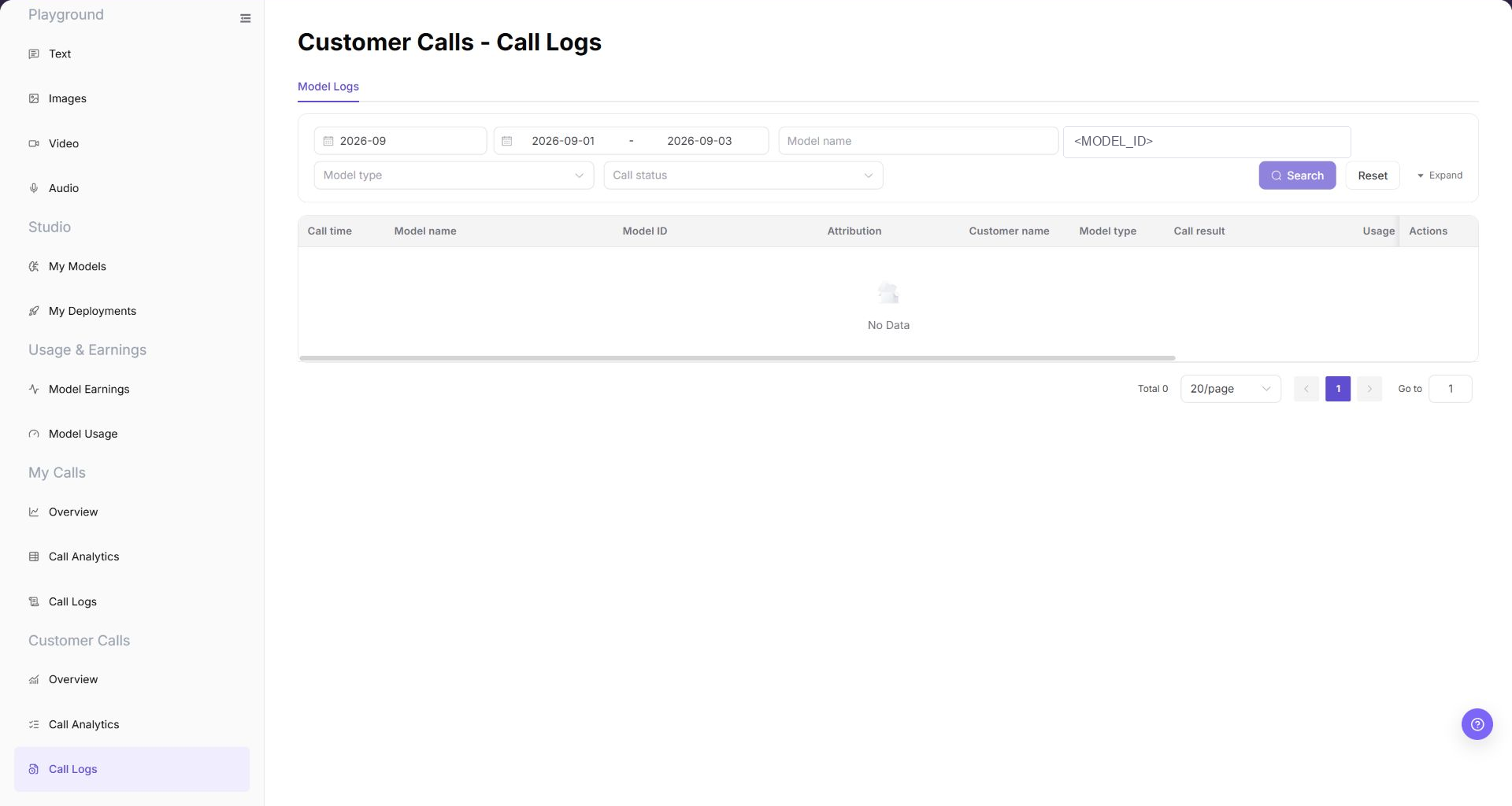
Focus on time range, model criteria, customer name, call result, and details.
Main Operations
Query Customer Call Logs
- Go to
Model Services > Customer Calls > Call Logs. - Set a time range, enter a model name or model ID, and select model type and call status if needed.
- Click "Search" and verify call time, model name, Model ID, Attribution, Customer Name, result, and usage.
- Click "Reset" if the criteria are incorrect. Redact customer and business identifiers before sharing results.
Locate Failed Call Records
- Select a failed state in Call Status.
- Click "Search" and compare Customer Name, Model ID, Attribution, and time across failed records.
- Open "Details" for the target record and verify Model ID and Attribution before retaining only a redacted error summary. Do not copy complete requests, responses, or credentials.
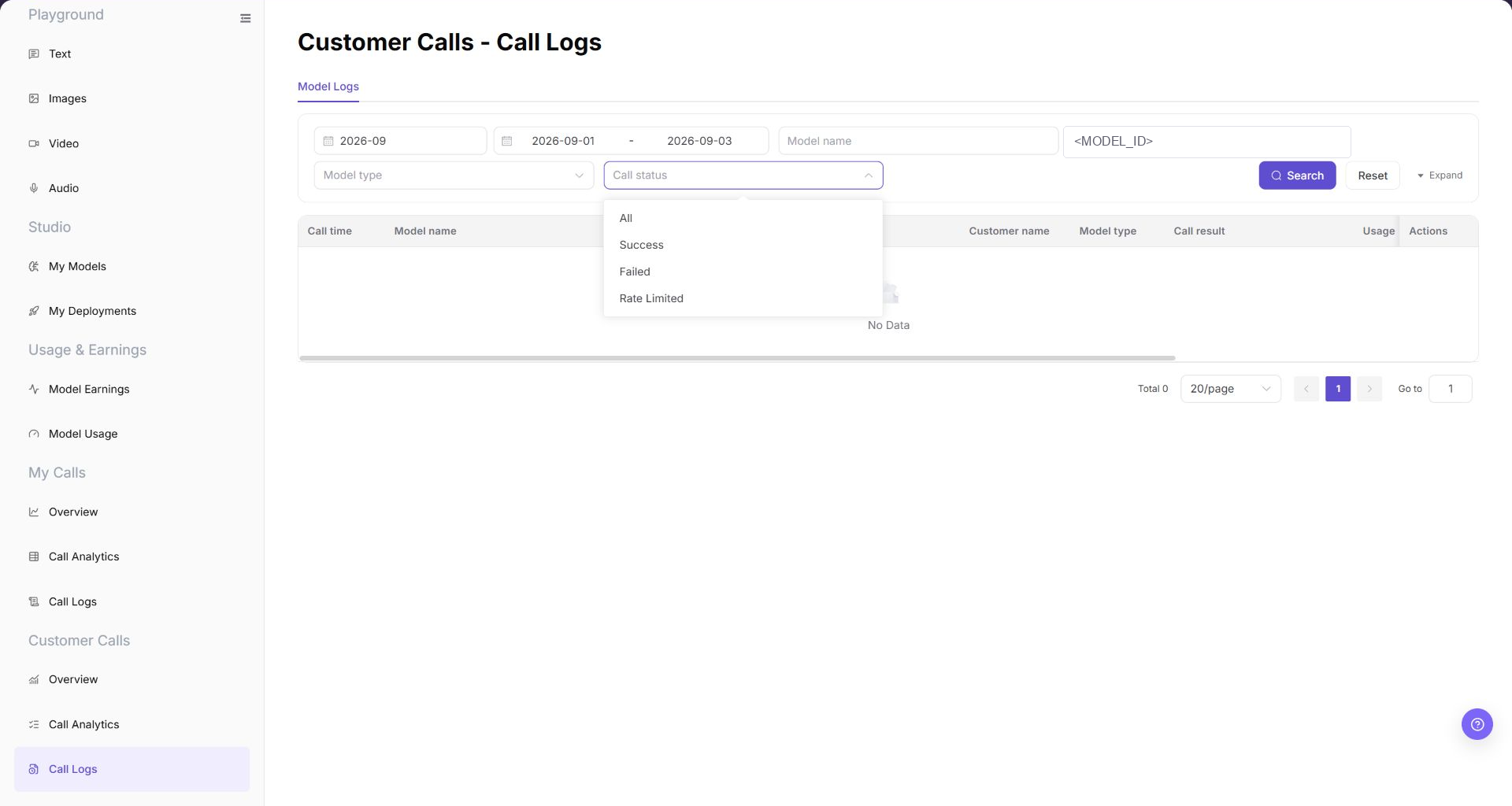
Review log entries filtered by failed status, focusing on the associated customer, model identifier, and specific error summary.
Parameter Reference
| Field Name | Required | Field Type | Example | Description |
|---|---|---|---|---|
| Month | Yes | Month selector | 2026-07 | Controls the statistical month for call logs. |
| Date Range | Yes | Date range | 2026-07-01 to 2026-07-17 | Controls the query time range for call logs. |
| Model | No | Input | Example Model | Filters call logs by model name. |
| Model ID | No | Input | <MODEL_ID> | Filters customer call logs by the exact platform model identifier. |
| Model Type | No | Selector | Text | Filters call logs by model capability type. |
| Call Status | No | Selector | All / Success / Failed / Rate Limited | Filters logs by call processing result. |
| Minimum Input Tokens | No | Number input | 0 | Sets the lower input-token boundary for the query. |
| Maximum Input Tokens | No | Number input | 1000 | Sets the upper input-token boundary for the query. |
| Call Time | System-generated | Time | 2026-07-17 14:30 | Shows when a single customer call occurred. |
| Attribution | System-generated | Text | Member / Project / Key scope | Shows the member, project, and Key scope associated with the call. |
| Customer Name | System-generated | Text | Example Customer | Shows the customer account or tenant that initiated the call; it is separate from Attribution. |
| Usage | System-generated | Text / tag | Input 100 / Output 40 Tokens | Shows input tokens, output tokens, cached input tokens, context size, or free usage information. |
| Time Consumed | System-generated | Time | 1.2 s | Shows the total time consumed by a single call. |
| First Token Time | System-generated | Time | 0.3 s | Shows the time before the first token is returned. |
| Failure Type | System-generated | Text | Authentication | Shows the issue category for a failed request. |
| Error Message | System-generated | Text | Redacted error message | Shows the error summary for a failed request. Redact it before screenshots or external communication. |
| Actions | No | Action entry | Details | Opens single customer call log details. |
Pitfalls
- Request IDs, customer identifiers, and error messages in call logs must be sanitized before sharing.
- 401, 429, and 5xx point to different troubleshooting paths. Do not treat every failure as the same issue.
- Log retention may be limited. Confirm the time range and keep desensitized clues early.
Result Validation
| Check Item | Success Signal | If Abnormal |
|---|---|---|
| Page is accessible | The Customer Calls - Call Logs page opens, and Customer Calls > Call Logs is highlighted in the sidebar. | Check account permissions, navigation path, and page loading status. |
| Log list loads | The list shows columns such as call time, model name, Model ID, Attribution, Customer Name, model type, call result, and usage. | Refresh the page or retry after adjusting the month and date range. |
| Filter controls can be selected | After filtering by month, date range, model, model type, or call status, the list refreshes. | Check whether filters are too narrow, and click "Reset" if needed. |
| Search / Reset works | Search displays matching logs, and Reset clears the filters. | Check network status, page API responses, and account permissions. |
| Log details can be opened | Clicking Details opens more information about a single customer call. | Confirm that the record is still within the log retention period. |
| Field information is consistent | Model ID, Attribution, Customer Name, call status, usage, failure type, and error message are consistent with the details page. | Reopen details or expand the time range for cross-checking. |
FAQ
Customer Call Log Is Missing
Symptom:
The target record does not appear after a search by model or time.
Possible Causes:
- The filters exclude the target call.
- The current account cannot view the customer record.
Resolution:
- Click "Reset" and select the call date.
- Filter by Model ID and status one at a time, and then compare Customer Name and Attribution in the returned records.
- If the record remains missing, ask the administrator to verify Model Provider permissions and provide the redacted call time.
Failed-Status Filter Shows No Record
Symptom:
The list is empty after you select the failed status.
Possible Causes:
- The selected range contains no failed request.
- A model, customer, or date filter excludes failed records.
Resolution:
- Keep the failed status and clear other filters.
- Expand the date range and search again.
- If Overview shows failures but the log remains empty, send the administrator the same filters and a redacted screenshot.
One Customer Has Many Failures
Symptom:
One customer has several failed logs in a short period.
Possible Causes:
- The customer uses an invalid credential, Model ID, or request format.
- The target model returns repeated upstream errors.
Resolution:
- Keep the same time range and Model ID.
- Open several failed records and compare Customer Name, Attribution, and error type.
- Send the redacted error to the customer. Contact the Model Provider if the upstream error continues.
Customer Call Latency Increases
Symptom:
Total latency or first-token latency increases for the same model.
Possible Causes:
- The customer request has a longer input or higher output limit.
- The model or provider responds slowly during the selected period.
Resolution:
- Compare calls with the same customer, Model ID, and a similar input size.
- Review total latency and first-token latency separately.
- If latency remains high, send the Model Provider the time range and redacted request IDs.
Customer Log Contains Sensitive Data
Symptom:
Details shows a customer credential, full Endpoint, input, or response content.
Possible Causes:
- The call itself contains sensitive data.
- A screenshot or support ticket was not redacted.
Resolution:
- Stop copying or sharing the details.
- Mask the customer name, Personal Key, request header, request body, response, and full Endpoint.
- If a credential was exposed, contact the administrator or security owner immediately and rotate it.
Notes
- Do not expose complete customer requests, response bodies, Keys, accounts, or cost details in documentation, screenshots, or tickets.
- Customer logs are for troubleshooting and do not replace revenue settlement or billing details.
- Error messages are only used for troubleshooting and must be redacted before public communication.
Next Steps
- Click "Details" to view redacted details for the target customer call.
- Go to
Customer Calls > Call Analyticsto determine whether a batch anomaly exists. - Return to
Customer Calls > Overviewto view trend changes by customer or model.